
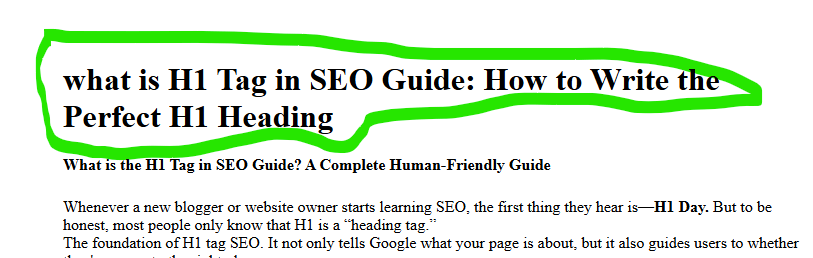
What is the H1 Tags in SEO Guide? A Complete Human-Friendly Guide
Whenever a new blogger or website owner starts learning SEO, the first thing they hear is—H1 Day. But to be honest, most people only know that H1 is a “heading tag.”
The foundation of H1 tag SEO. It not only tells Google what your page is about, but it also guides users to whether they’ve come to the right place.
Understanding the H1 Tags in the SEO Guide is crucial for optimizing your website content effectively.
In this article, we’ll explain the H1 tag in very simple terms—like you’re explaining it to a friend.
Understanding the H1 Tag in SEO Guide is crucial for effective SEO strategies.
Related post-
What is H1 Tags?
The H1 tag is the main heading of a web page., which tells what the primary topic of that page is.
Think of it this way—if your entire post is a book, the H1 is itsmain title Is.
- Google considers this the most important heading
- The user immediately understands what the article is about.
- The entire SEO structure starts from here.
Why is H1 Tags so important in SEO?
The first thing Google or any search engine looks at when reading a page is:
What is the topic of this page?
Which keyword is it related to?
What will the user get here?
The H1 tags answers all three of these questions.
Why does H1 tags help your ranking?
- Google gets clarity in understanding the keywords.
- User experience improves
- The page structure appears clean and organized
- Bounce rate is low because the user understands what they are going to get.
Relation between User Intent and H1 Tags
What is the biggest factor in SEO today?
👉 User Intent
If your H1 does not explain the user’s need (intent), then no matter how good the article is, it will not perform.
Example:
❌ “Everything About Headings”
→ User will get confused
✔️ “What is H1 Tags in SEO? Complete Beginner Guide”
→ The user instantly understands: this is the topic he is looking for.
So while writing H1, don’t just fill in the keyword…
Also keep in mind what the user wants.
What should the H1 tags be like?
Below are the human-friendly + SEO-friendly methods:
1. Have only one H1 tags per page
Multiple H1s create confusion—for both Google and the user.
2. Include keywords, but keep them natural
Avoid keyword stuffing. Keep your sentences smooth.
Example:
✔ “What is H1 Tags in SEO? Meaning, Importance & Best Practices”
3. Keep it within 50–70 characters
A short, clean and clear title is perfect for SEO.
4. Match User Intent
What the user wants to know → H1 should state the same in clear language.
5. Make it actionable or benefit-driven
Such titles are remembered for a long time.
How does H1 tags help with SEO and readability?
| Benefit | Explanation |
| SEO clarity | Google finds the main topic |
| Better UX | The user immediately understands what the page is about |
| Structured content | The entire article flows in a proper flow. |
| Higher ranking chances | Intent + keyword alignment strengthens SEO |
H1 Tags Example
“What is H1 Tags in SEO? Beginner-Friendly Explanation & Examples”
Why is this perfect?
✔ Keyword is at the beginning
✔ user intent clear
✔ human friendly
✔ SEO friendly
FAQs H1 Tags in SEO
1. What is an H1 tags in SEO?
The H1 tags is the main heading of a webpage that tells Google and users what the page is about.
2. Is H1 tags important for ranking?
Yes. Google uses the H1 to understand the page topic, which improves relevance and ranking.
3. How many H1 tag should I use?
Only one H1 per page. This gives a better SEO structure.
4. Should I add a keyword in the H1 tags?
Yes, but naturally. Don’t do keyword stuffing.
5. Is H1 tag the same as the title tag?
No. Title tag appears in search results, while H1 appears on the page.
6. Can H1 tag improve user experience?
Yes, it clearly tells users they are on the right page, reducing bounce rate.
Common Mistakes to Avoid
Repeating keywords in H1
❌ H1 too long
❌ Clickbait style
❌ Multiple H1 tag on one page
❌ Exact same copy in H1 and SEO title (variation is better)
Conclusion
The H1 tag is the smallest but most powerful element of SEO.
It sets the direction for your entire content strategy—telling both Google and the user what your page is about.
If you just make sure that your H1 is human-friendly, keyword-optimized, and user intent-based, both the visibility and ranking of your post will improve.